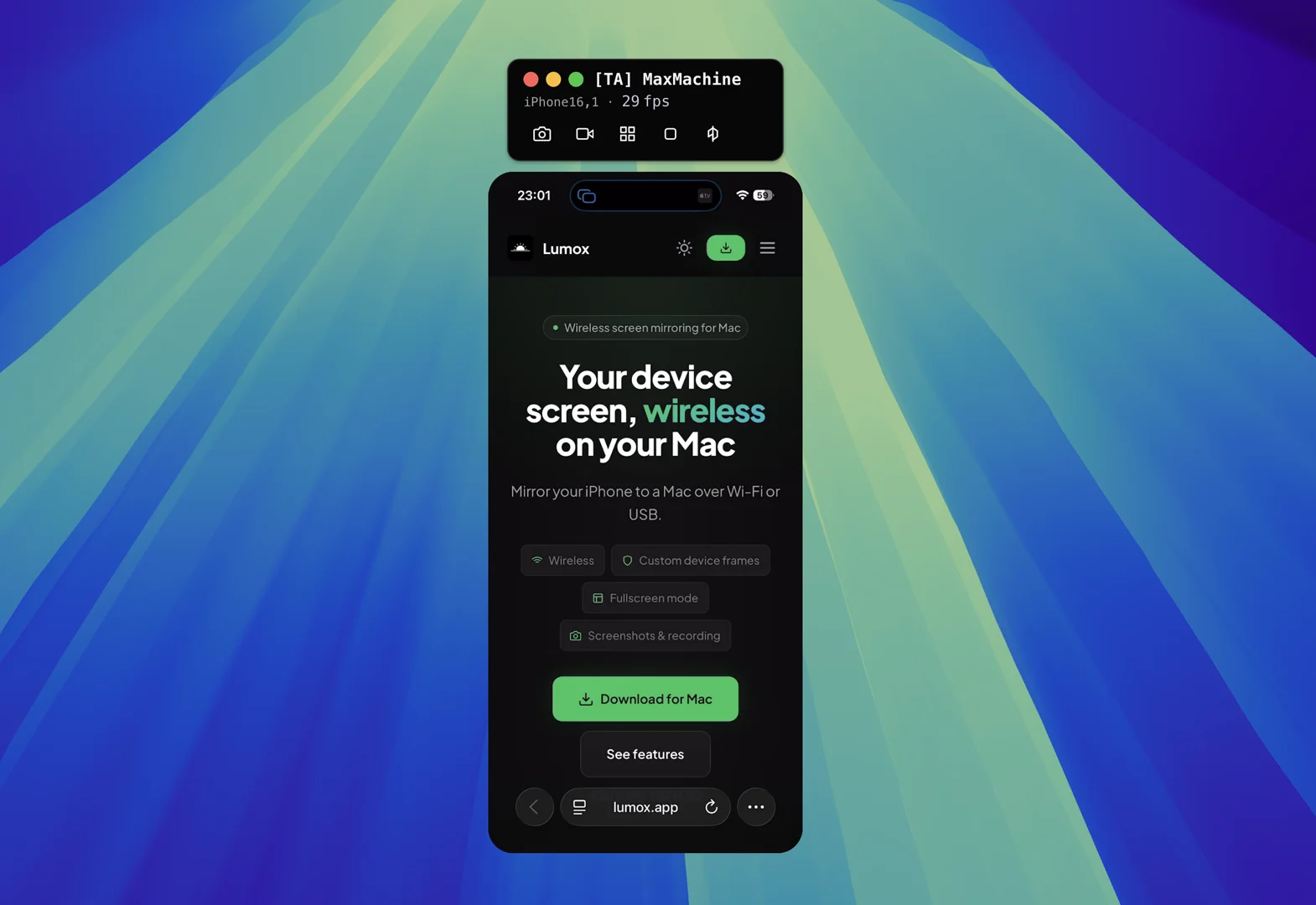
Most screen mirroring is fine for static screenshots or slow walkthroughs. The moment you scroll quickly, play a mobile game, or demo animations in a live call, frame rate and resolution stop being nice-to-haves—they become the difference between “this looks professional” and “why is it so choppy?”
Lumox mirrors iPhone and iPad screens to your Mac at up to 60 fps and 4K resolution, with an optimised pipeline built for presentations, capture, and streaming. The video below shows what that feels like compared with typical mirroring: motion stays smooth, text stays readable, and fast interactions do not turn into a slideshow.
Why it matters: video calls and streaming software compress what you share. Starting from a sharp, high-frame-rate source gives the encoder more detail to work with—so viewers see smoother motion even after compression.
Live app demos in remote meetings
Product managers, founders, and engineers routinely need to show a real build on a real phone during Zoom, Google Meet, Microsoft Teams, or Slack huddles. Investors want to see the checkout flow. Support wants to reproduce a bug live. Design wants to review a prototype with gestures, not a static Figma frame.
In those calls, choppy mirroring undermines trust. Scroll jank makes the app look unfinished; transition animations stutter; map panning or camera previews look broken when they are not. Mirroring at 60 fps keeps the demo aligned with what you see in your hand, so the remote audience focuses on the product—not the mirror quality.
The workflow is straightforward: mirror the device to Lumox on your Mac, share the Lumox window in your meeting app, and present as usual. For a full walkthrough of Google Meet specifically, see our guide to sharing Lumox in video calls.
Twitch and live streams: presenting a mobile game
Mobile games are built for 60 fps (or higher on ProMotion devices). Streamers who point a webcam at a phone lose that immediacy—reflections, focus hunting, and uneven lighting get in the way. Capturing the mirror on a Mac and feeding it into OBS, Streamlabs, or Twitch Studio is cleaner, but only if the capture path keeps up with the game.
With high-performance mirroring you can:
- Show gameplay on stream without holding the phone in frame.
- Overlay chat, alerts, and branding around a crisp game window.
- Switch between face cam and device capture without changing hardware setups.
- Record the same session locally for YouTube highlights or TikTok clips.
Fast-paced titles—rhythm games, shooters, racing, battle royales—are where frame rate matters most. A mirror that caps at 30 fps makes skilled play look sluggish; 60 fps preserves the timing viewers expect.
Conference talks and keynote-style demos
On stage (or on a webinar stage), you often drive the app yourself while a projector or stream shows your Mac. There is no second chance to re-record. Stutter during a hero animation or a parallax scroll is visible to hundreds of people at once.
High-resolution mirroring also helps back-row readability: 4K downscaled to a presentation display keeps type and UI chrome legible. Pair Lumox fullscreen mode with a clean background or device bezel for a deliberate, keynote-ready composition.
Design and motion reviews
Designers judge easing curves, spring physics, and skeleton loaders by eye. A mirror that drops frames hides the difference between a 250 ms and a 400 ms transition. When iOS designers review on-device builds with PMs and engineers over a call, smooth mirroring makes critique about the interaction—not about “is SharePlay lagging?”
The same applies to:
- Pull-to-refresh and infinite scroll in feed-based apps.
- Lottie and Rive animations that only read well at full frame rate.
- Haptics-adjacent UI where visual velocity carries meaning (swipe-to-delete, card stacks).
- Dark mode transitions and large-title navigation on iOS.
QA, bug reproduction, and engineering handoffs
Some bugs only appear under real device load: dropped frames in a Metal view, jank after backgrounding, race conditions in a live camera pipeline. QA engineers mirroring to a Mac can record a repro at full fidelity and attach it to a ticket. Engineers watching a live repro in a call see the same stutter the reporter sees—without “works on my simulator” confusion.
Performance-sensitive areas include games, AR previews, video editors, scanning apps, and anything that uses Core Animation heavily. For multi-device regression (iPhone vs iPad), combine high fps mirroring with multi-device layout so comparisons stay in sync.
Customer support and success calls
Support teams walk customers through settings, permissions, and account flows while screen sharing. When the mirror lags, customers tap ahead of the shared image, assume the app froze, or repeat steps. Low-latency mirroring keeps verbal instructions and on-screen state aligned—especially for flows with modals, keyboards, and system sheets.
Sales demos and competitive comparisons
Account executives often show a mobile app next to a competitor’s web app or a PDF. Side-by-side, the smoother experience wins attention. In discovery calls, scrolling a pricing table or a dashboard at full smoothness signals product maturity. In RFP demos, recorded Lumox sessions become reusable assets for champions to share internally.
Education, workshops, and creator content
Bootcamps and YouTube creators teaching iOS development, SwiftUI, or mobile UX need viewers to read Xcode and the simulator—or a device—clearly. Tutorial creators filming “build along” sessions mirror a test device to show TestFlight builds without publishing to the store. 4K capture future-proofs footage for 1440p and 4K uploads even after editing crops.
Real-time and “live data” apps
Apps where the UI updates continuously benefit from mirroring that keeps pace with the device:
- Maps and navigation with smooth panning and turn-by-turn updates.
- Finance and trading interfaces with ticking numbers and charts.
- Sports and betting live scores and in-play odds.
- Ride-hail and delivery driver/rider maps and status changes.
- Health and fitness live workout metrics and rep counters.
- Music and DJ apps waveforms, spectrum analysers, and pad grids.
None of these are games, but they all move on screen fast enough that 30 fps mirroring looks worse than the product actually is.
Recording marketing and App Store assets
App preview videos and social ads are often captured from a device mirrored to a Mac, then cropped and graded. Starting from 4K gives editors headroom for punch-ins, stabilisation, and export to multiple aspect ratios. 60 fps source material can be retimed to 30 fps for platforms that require it without inventing frames.
Combine recording with device bezels, custom backgrounds, and rotation for marketing layouts that would be tedious to rebuild in After Effects.
EU users and wireless-only workflows
Teams in the EU cannot rely on iPhone Mirroring to a Mac in every configuration. Wireless mirroring through Lumox is a practical alternative for demos and streams without cabling the phone—see wireless mirroring in the EU for setup details. Performance still depends on Wi‑Fi quality; use a stable access point and keep devices on the same network.
Practical tips for the best results
- Use 5 GHz Wi‑Fi when possible; avoid guest networks and VPNs that isolate devices.
- Enable Do Not Disturb on the phone so notifications do not interrupt live sessions.
- Share a window, not the entire desktop in meeting apps to reduce accidental leaks and scaling artifacts.
- Size the Lumox window generously before sharing so downstream compression has more pixels to sample.
- For streams, capture the Lumox window in OBS at the highest practical resolution your Mac GPU can sustain.
- For multi-device setups, lower fps on secondary tiles if needed so the primary demo device stays at 60 fps.
Rule of thumb: if you would notice stutter on the phone in your hand, your audience will notice it in a mirror. Reach for high fps when motion, games, or live trust are on the line.
Wrapping up
High-performance mirroring is not about benchmark charts—it is about contexts where the mirror is the product experience: live calls, streams, stage demos, design critique, QA, and capture. Up to 60 fps and 4K resolution give you headroom so compression and scaling hurt less, and viewers see the app as you intended.
If your next session involves scrolling feeds, playing a mobile game on stream, or walking an investor through a build, start from a mirror that keeps up. Download Lumox on your Mac, connect your device over Wi‑Fi, and present from a window that matches the speed of the hardware in your hand.