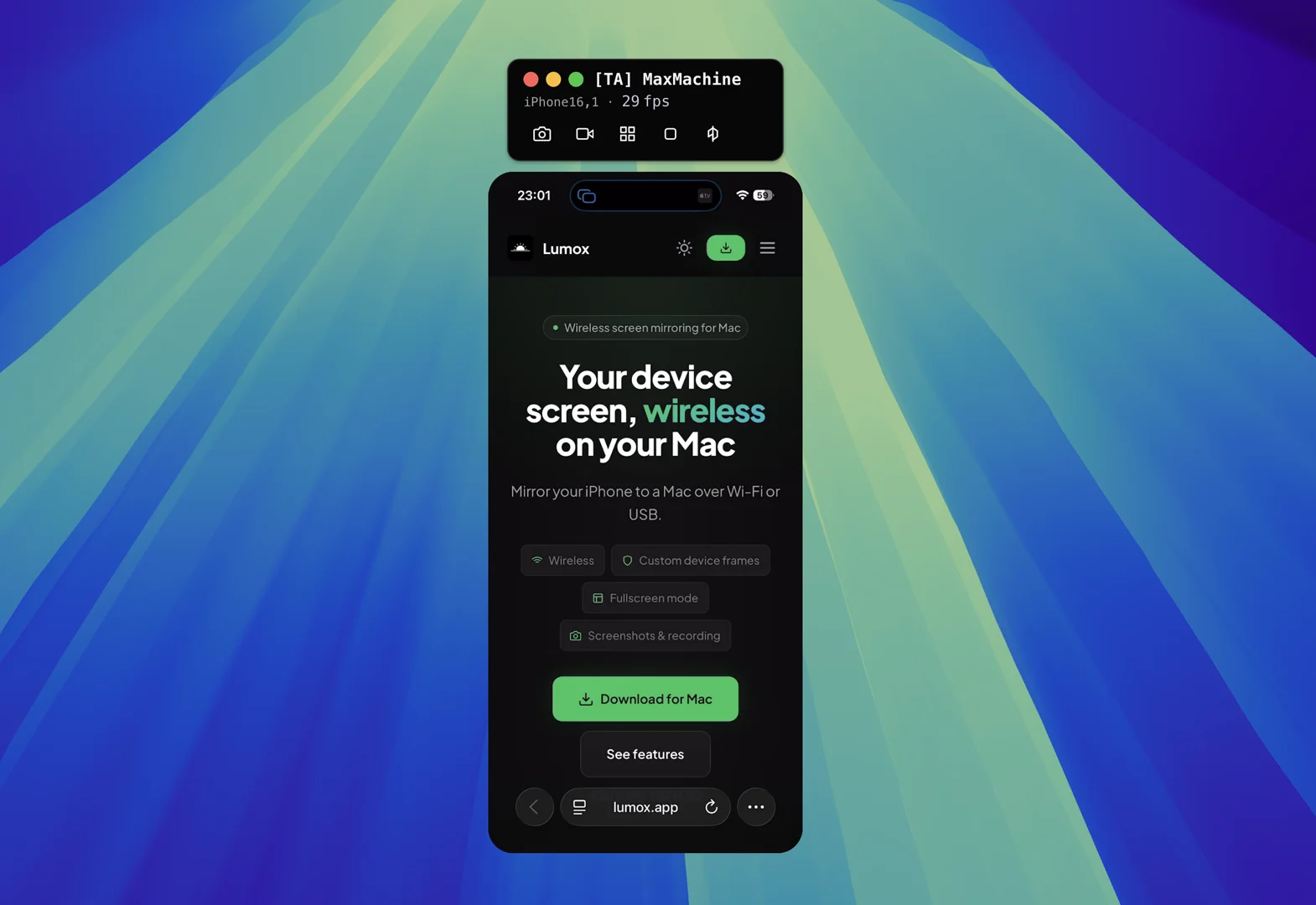
Your device screen, wireless
on your Mac
Create stunning product demos and tutorials. Make your apps shine.
Built for presentations & capture
Wireless mirroring with pro features.
Wireless sharing
Mirror your iPhone to your. No app required on your mobile device. Downlaod to your Mac and start streaming.
- Wi‑Fi mirroring
- Low latency
- Up to 60fps
- Zero setup
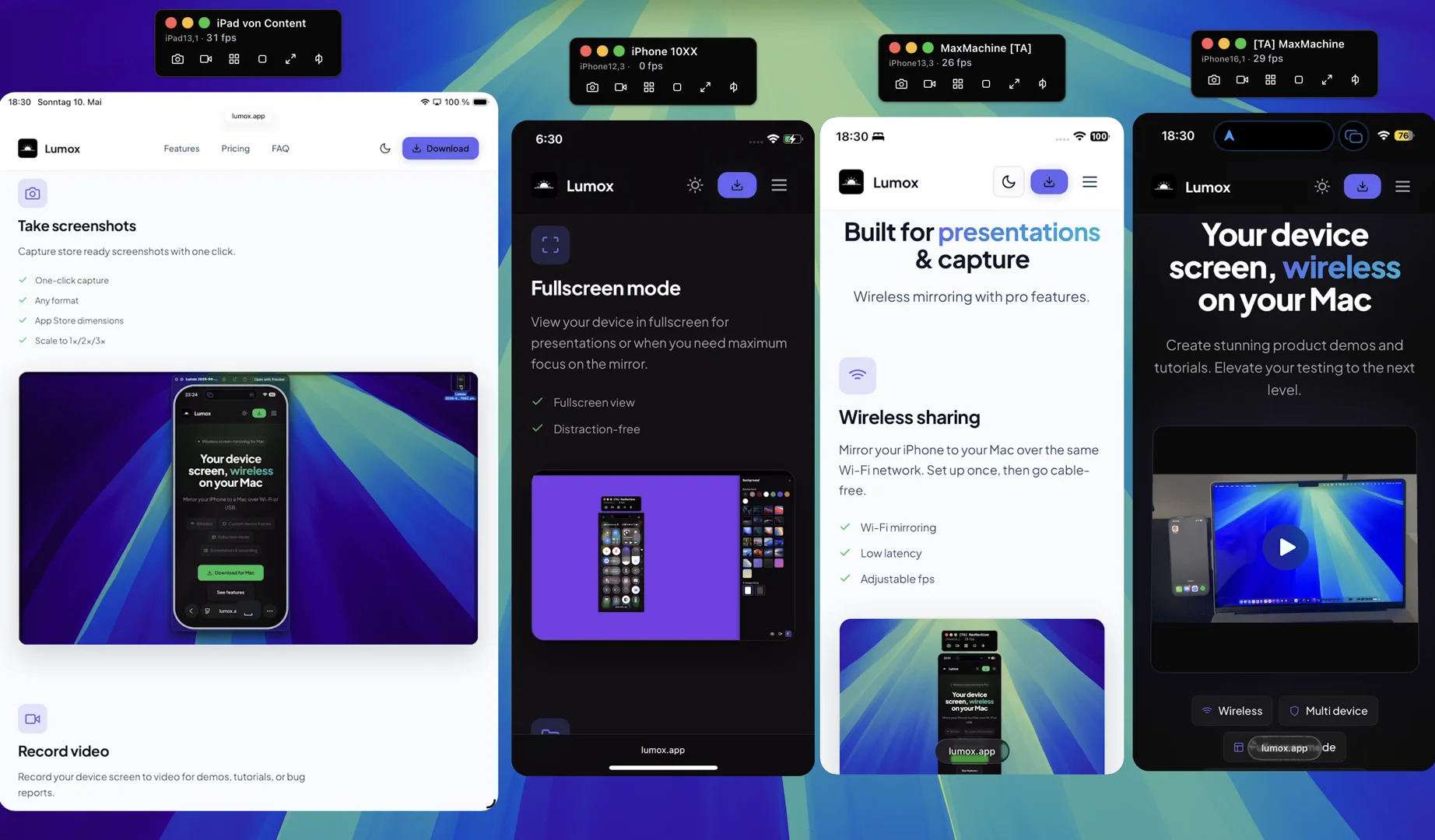
Multiple devices
Connect multiple devices at once. Organize and scale them in one view.
- Any number of devices
- Scale to any size
- Arrange in any order
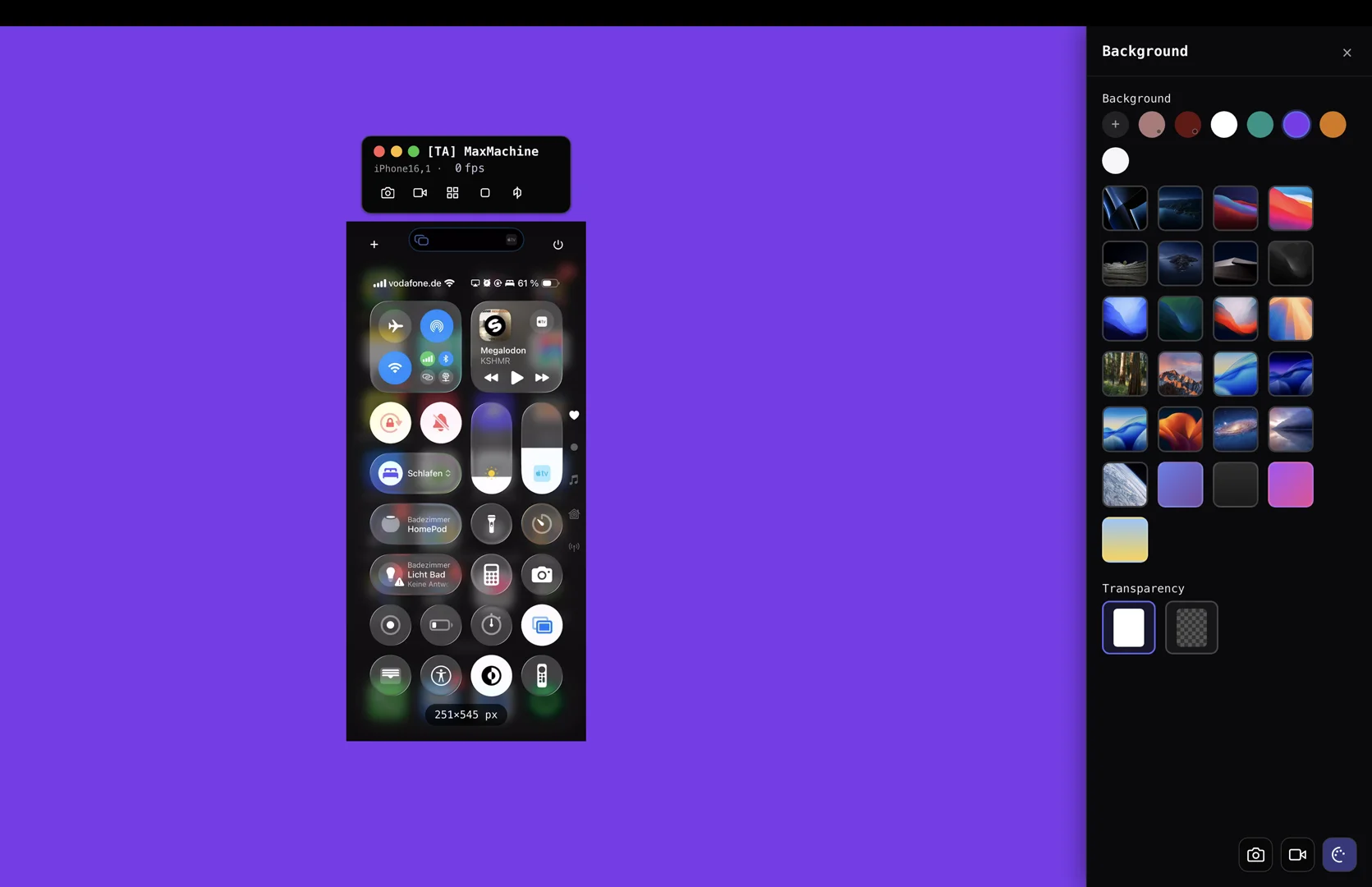
Custom backgrounds
Choose from a variety of backgrounds to customize your mirror view. You can also use your own custom backgrounds.
- Custom backgrounds
- OSX default wallpapers
- Transparent mode
Take screenshots
Capture store ready screenshots with one click.
- One-click capture
- Any format
- App Store dimensions
- Scale to 1x/2x
- Copy to clipboard
Take screenshots as a series
Capture store ready screenshots as a series with one click.
- Saves time
- Order and resize in any way you want
- Custom and asthetically scenarios
- Choose from a variety of multi device layouts
Record video
Record your device screen to video for demos, tutorials, or bug reports.
- Screen recording
- Export to webm, mp4, move
Fullscreen mode
View your device in fullscreen for presentations or when you need maximum clarity.
- Fullscreen view
- Distraction-free
Media Library
Organizes all your screenshots and recordings in one place. Find and share easily.
- Drag to export
- Export as png, jpg, webp, mp4 or webm
- Live preview of file sizes
- No extra conversion tooling needed.
Device Bezels
Wrap your mirror in device bezels—iPhone, or generic—for realistic previews and marketing assets.
- Different Device bezels
- Bezel free mode
Rotation
Rotate your screenshots for eye-catching product demos and marketing visuals.
- Multiple perspective angles
- Great for product demos
- Shortcuts for the most common angles
Custom status bar
Customize the status bar of your device to create professional screenshots.
- Custom time
- Individual background color
- Change battery/cellular/Wi‑Fi icons
High performance mirroring
Mirror at up to 60 fps and 4K resolution so fast motion, games, and live demos stay sharp and responsive on your Mac.
- Up to 60 fps
- 4K resolution
- Optimised experience
Wireless mirroring without limits
A quick overview of all Lumox features.
Wireless sharing
Mirror your device to your Mac over Wi‑Fi. No cables required after initial setup.
Take screenshots
Capture store ready screenshots with one click.
Record video
Record your device screen to video files for demos, tutorials or bug reports.
Multi device
Mirror multiple devices at the same time.
Transparent background
Use a transparent window so your device floats over your desktop or presentations.
Fullscreen mode
View your device in fullscreen for presentations or focused demos.
Media Library
All screenshots and recordings saved and organized in one place.
Custom device frames
Wrap your mirror in device bezels for realistic previews.
Automatic Copy to clipboard
All your screenshots can be automatically copied to clipboard.
Export to any format
Export to mp4, webm, webp, png, jpg etc.
Stay always on top
Keep your mirrored device floating on top of any other window.
Device memory
Save and restore the position and size of previously mirrored devices.
Record multiple devices at once
Switch on fullscreen mode and record demos of multiple devices at once.
Shortcuts
Use keyboard shortcuts to take screenshots and record videos. Lumox is fully keyboard accessible.
Multi Orientation
Rotate your device to any angle you want. All orientations are supported.
Presenter View
Show your face next to your device for presentations and demos.
Sound
Capture the audio from your device and make it part of your recordings.
Layout Templates
Choose from a variety of multi device layout to quickly get your screenshots ready.
Frequently asked questions
Everything you need to know about Lumox.
Lumox is free to use. The free version has a watermark and a session time limit. You can remove the watermark and session time limit by purchasing a license.
Lumox supports mirroring for iOS Devices. Android support is currently in development.
Yes. Lumox adds a watermark to the mirror. You can remove the watermark by purchasing a license.
There is no hard limit. You can run unlimited sessions and mirror as many devices as your Mac can handle.
Screenshots and video recordings are stored in the Media Library inside Lumox or folder you have configured in the settings.
Yes. Lumox supports a transparent background mode so the device floats over your desktop or other apps, and a fullscreen mode for presentations.
Yes. You can provide a custom background for the mirror. You can also use the default wallpapers from macOS.